Vertical Separator
Vertical Separator
Vertical Separator

Guide to Resetting Windows Passwords on WinPE

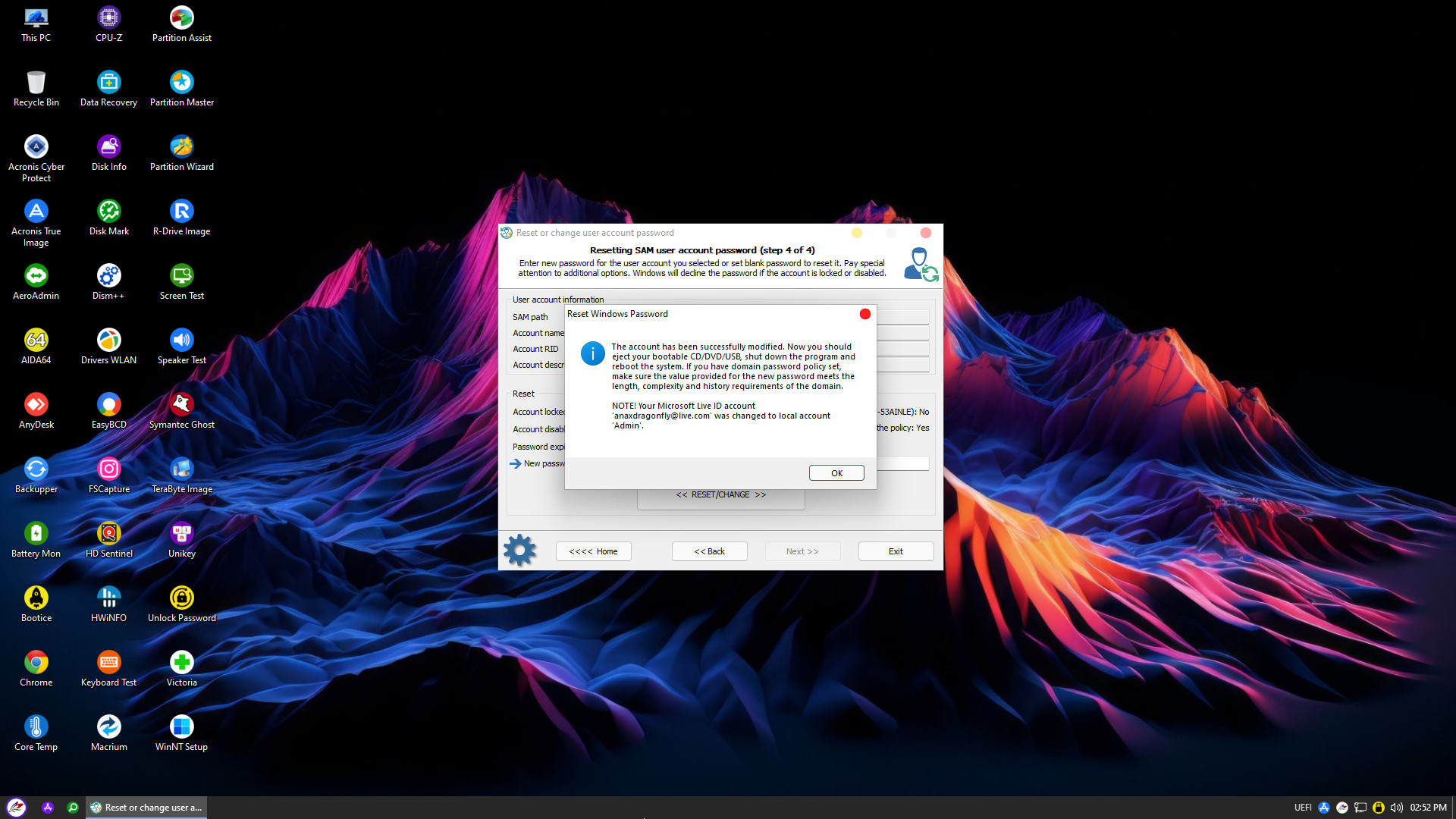
Losing access to your system due to a forgotten Windows login password is a critical scenario. Instead of resorting to a complete Windows reinstallation—which entails the risk of data loss—the optimal solution is to leverage the robust Password Reset feature within NHV BOOT. This guide demonstrates how to utilize specialized utilities to securely and rapidly remove passwords for Local accounts, Microsoft accounts, and Domain accounts directly within the WinPE environment

Guide to Using the Unlock Password Utility

Important Note: Before proceeding, verify the encryption status of your hard drive. This method cannot reset passwords on drives with BitLocker encryption enabled. If BitLocker is disabled on your system, proceed with the steps below:

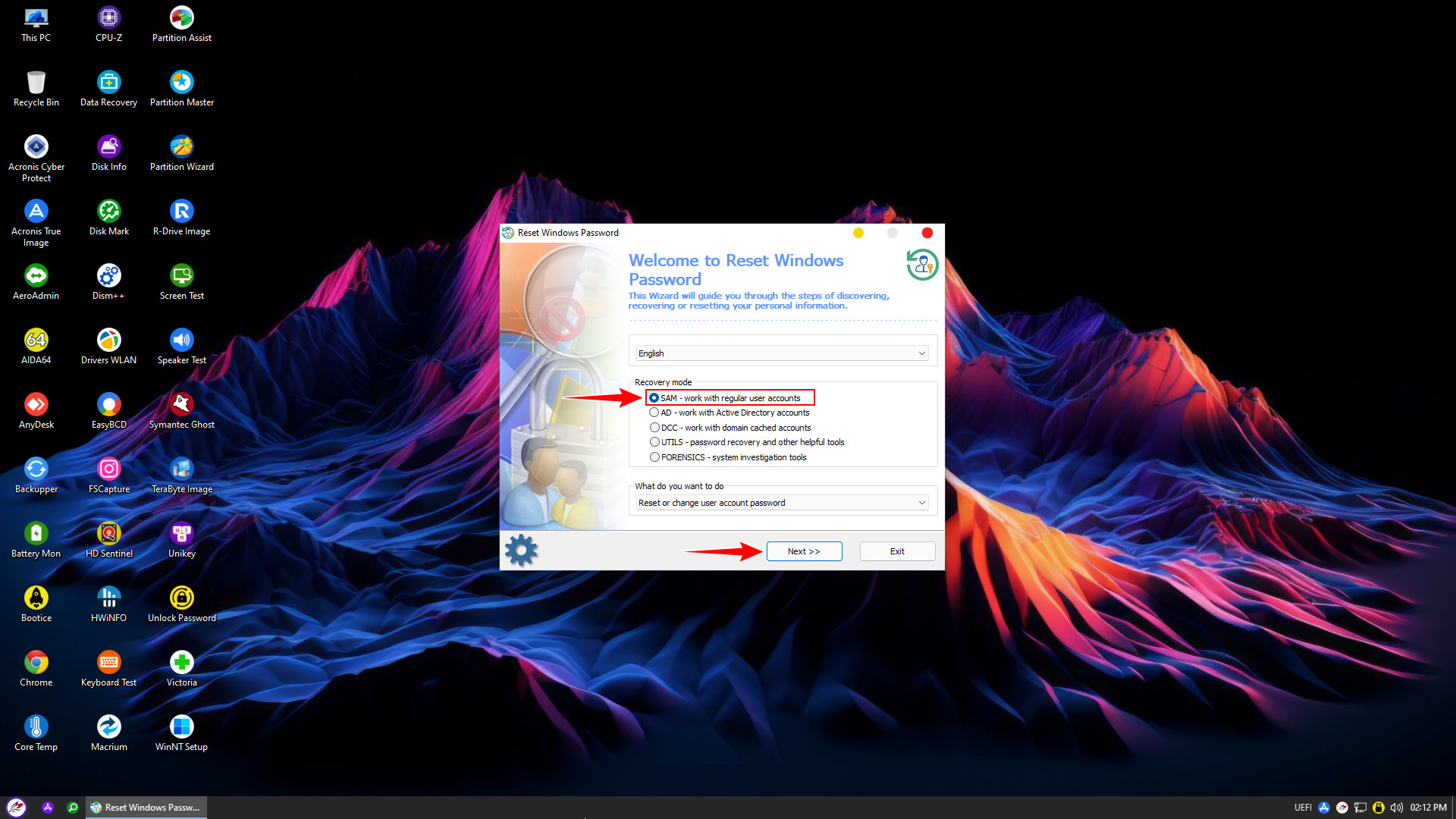
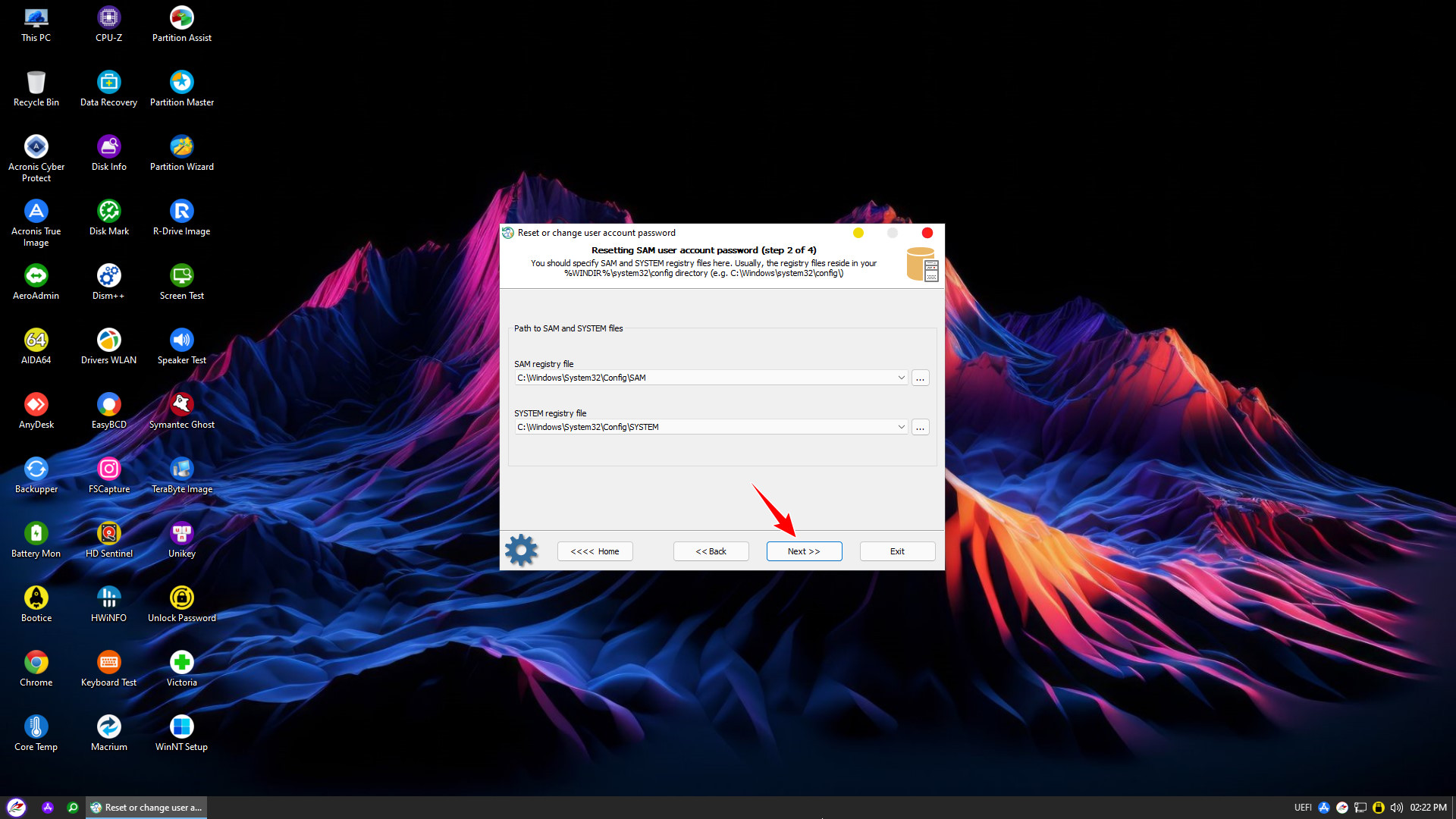
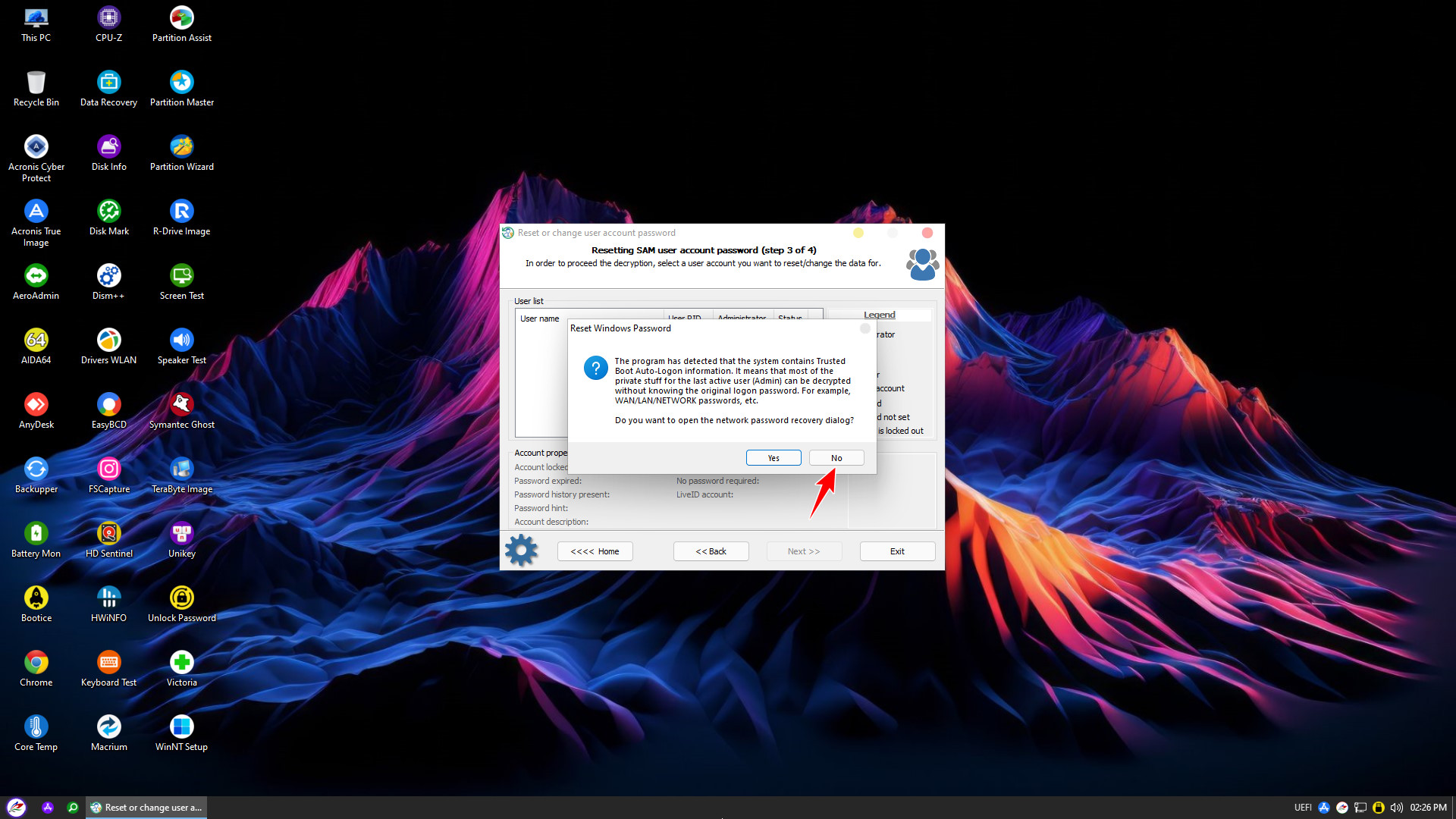
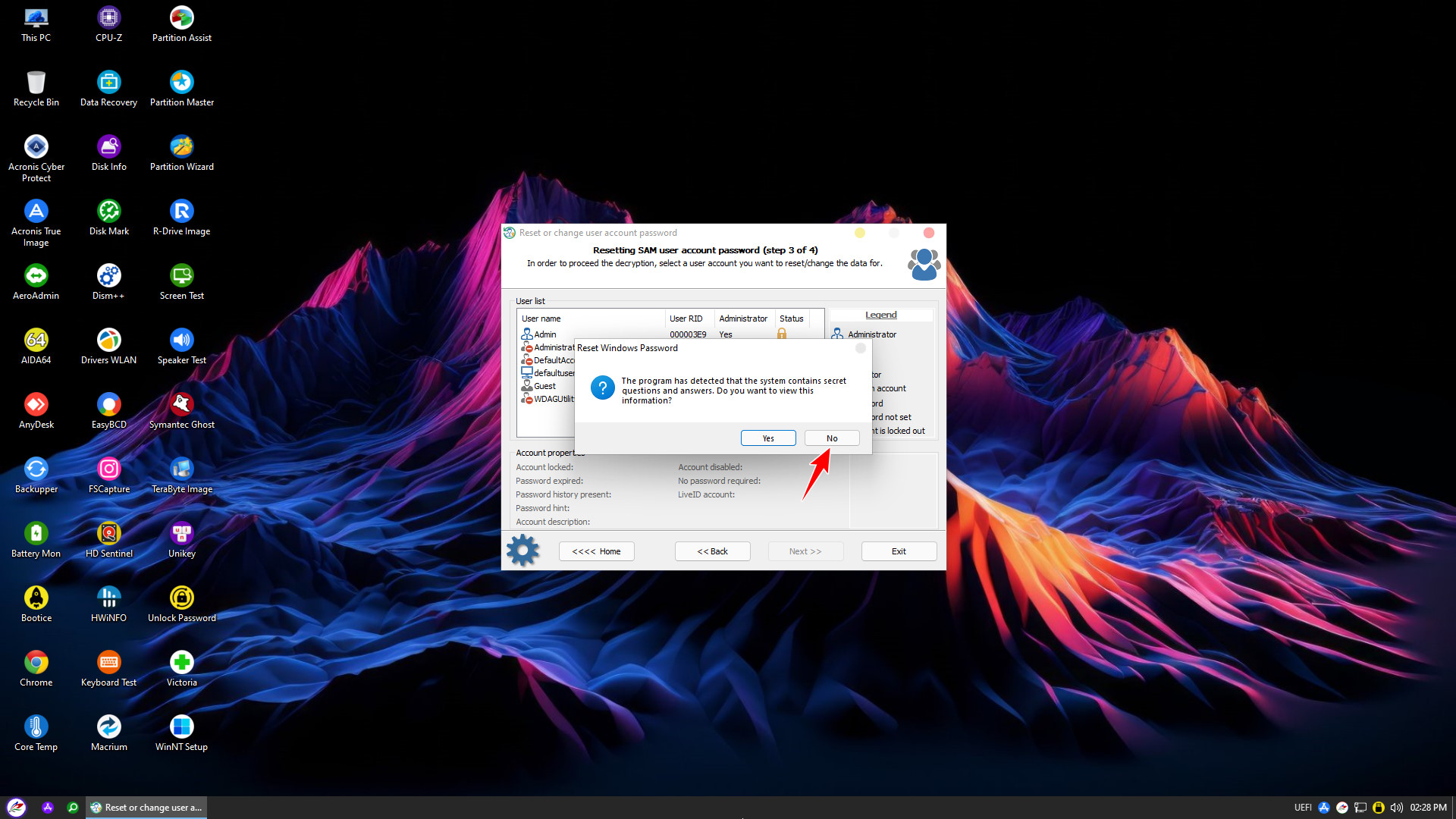
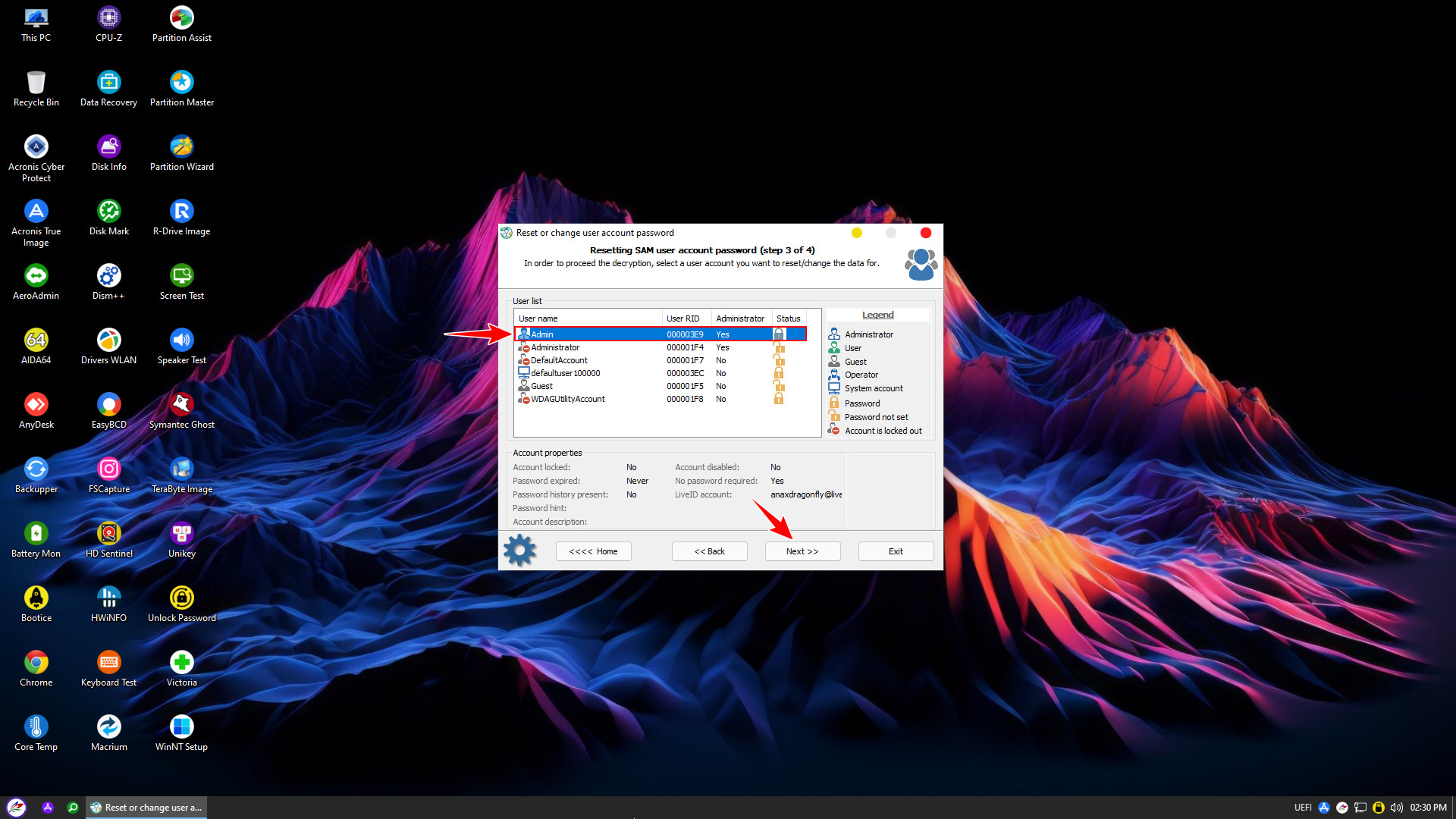
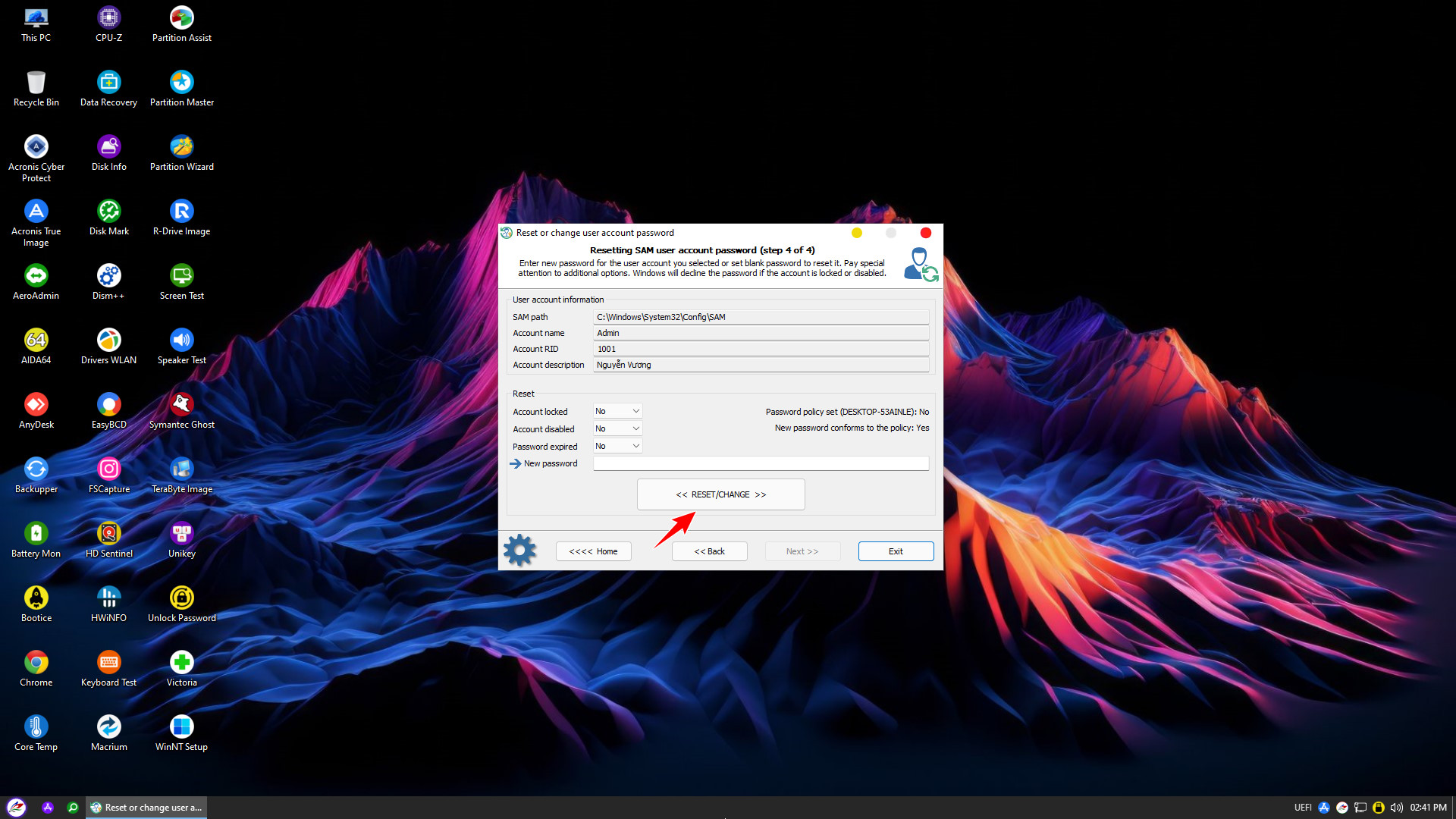
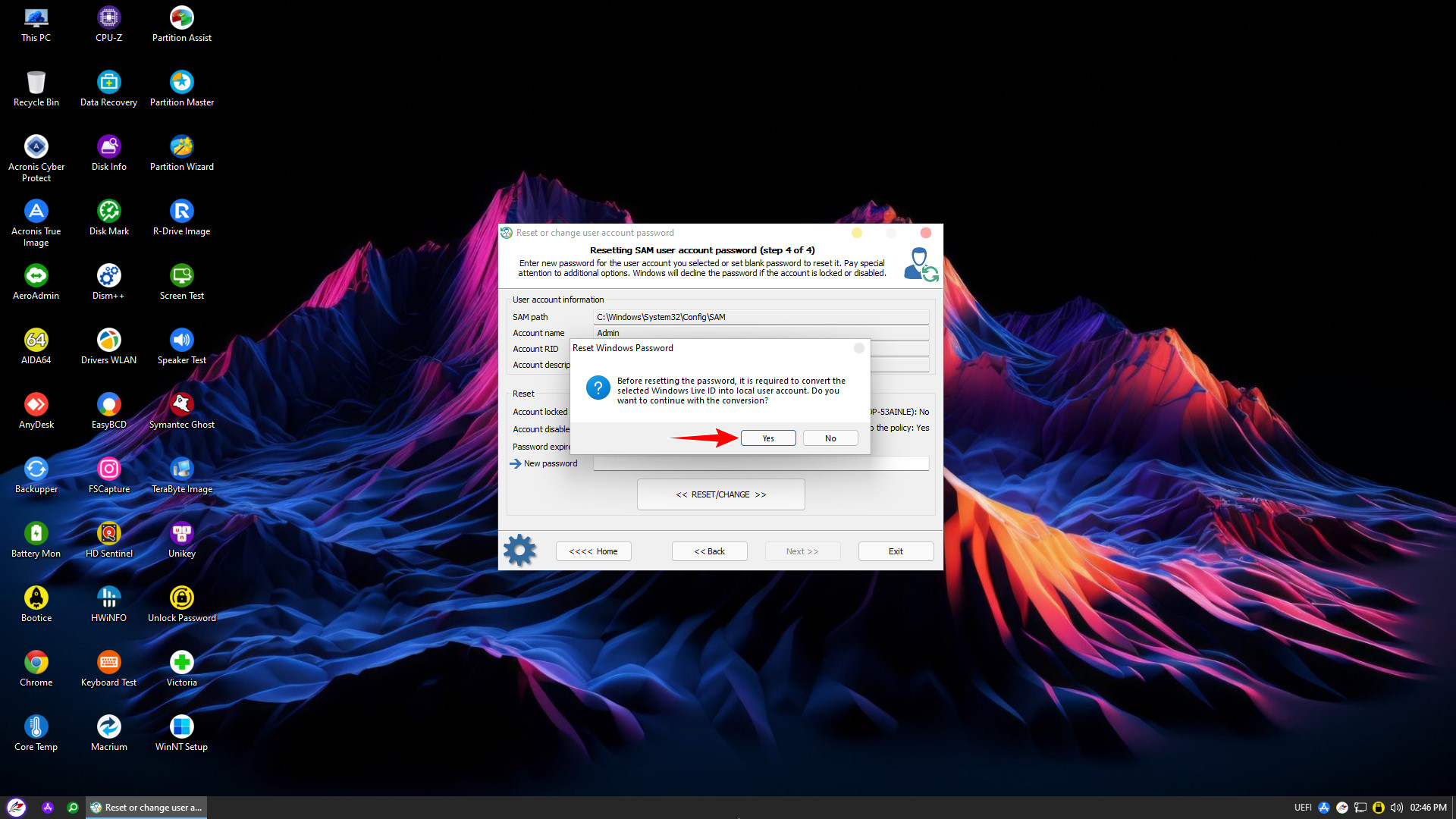
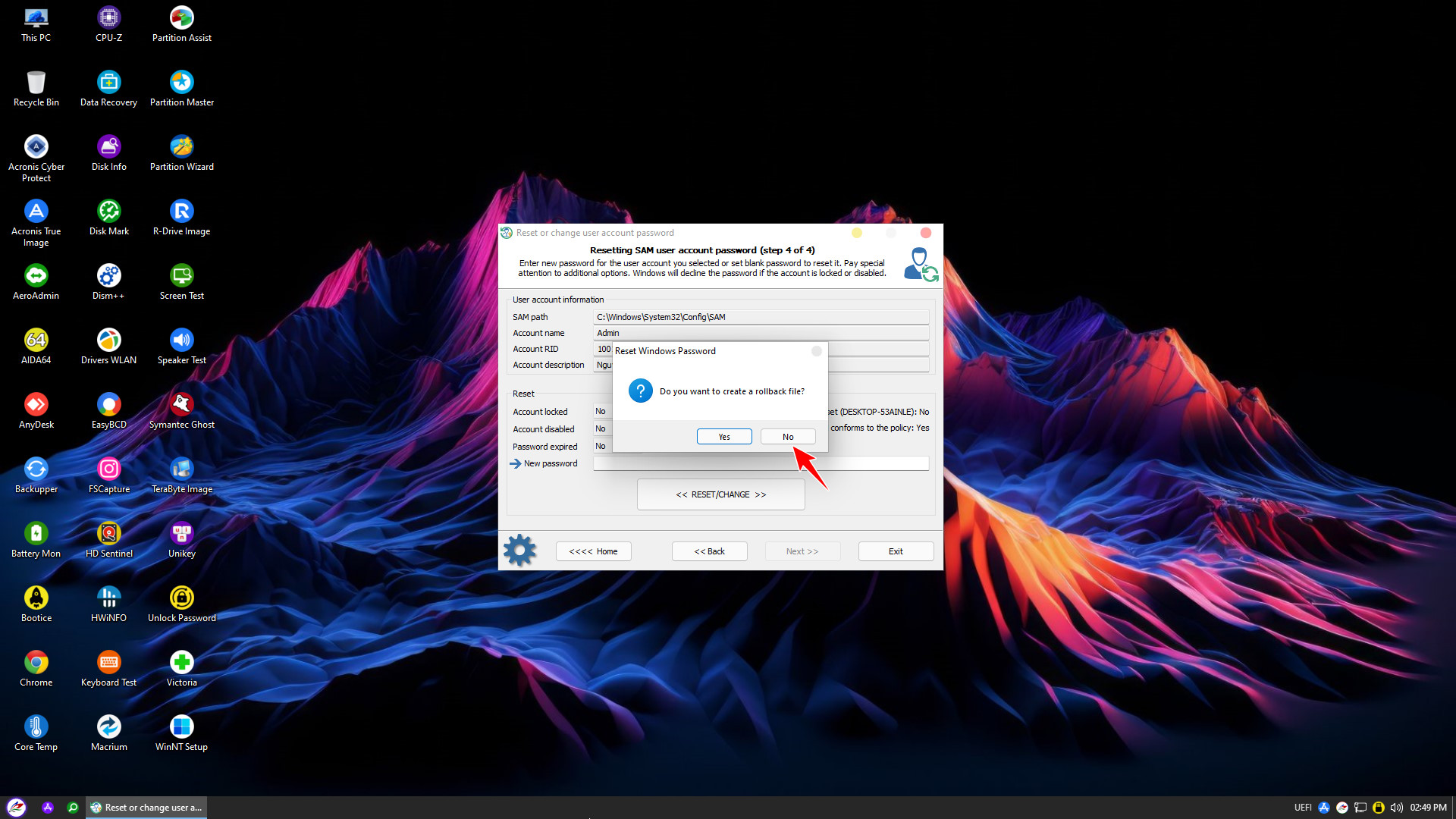
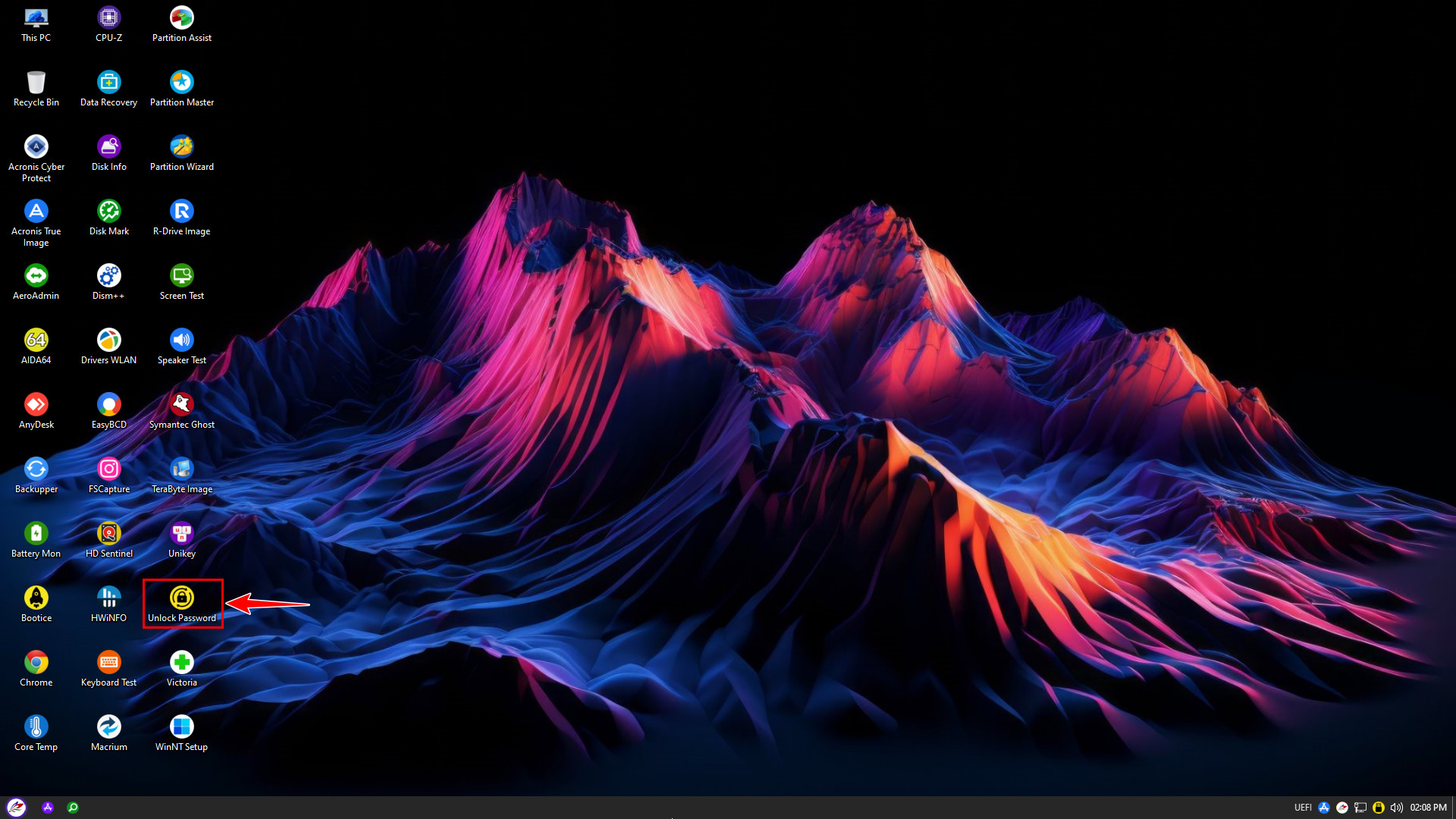
Boot into the NHV BOOT WinPE environment and launch the Unlock Password application
We hope this guide has effectively demonstrated the safe method for resetting Windows passwords using NHV BOOT. This solution restores system access quickly without data loss. Good luck!


Related Posts

Share this post

migrate-os-to-ssd
Read More
add-remove-drivers-winpe
Read More
nhvboot-lan-file-sharing
Read More
minitool-partition-wizard
Read More

Search Now

Type your keyword below and press Enter or click the Search button.