How to Convert Windows Boot Mode from UEFI to Legacy
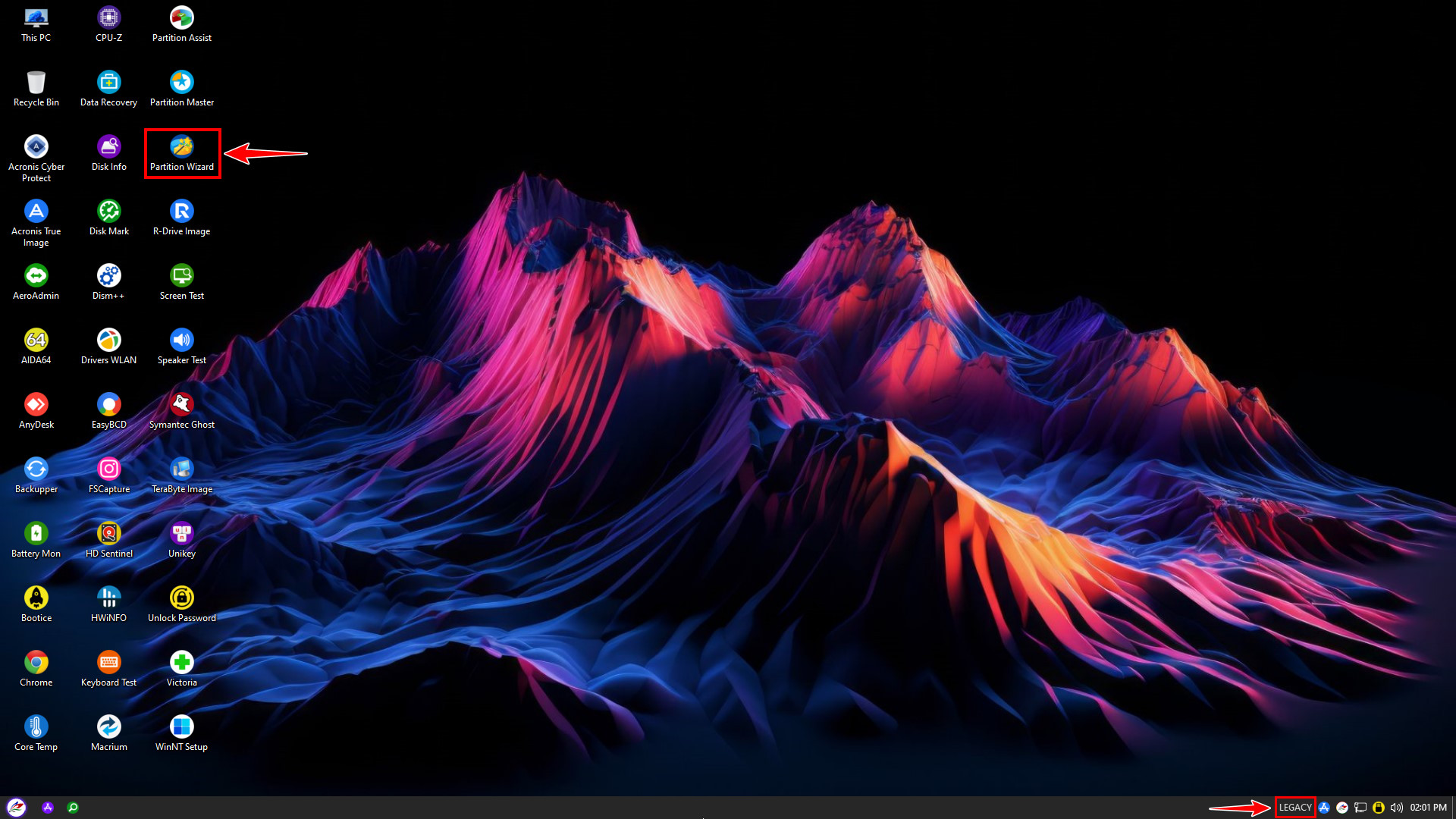
Before starting the conversion, it is extremely important to boot into the NHV BOOT WinPE environment using Legacy mode. On the main interface, locate and open Partition Wizard to begin the process
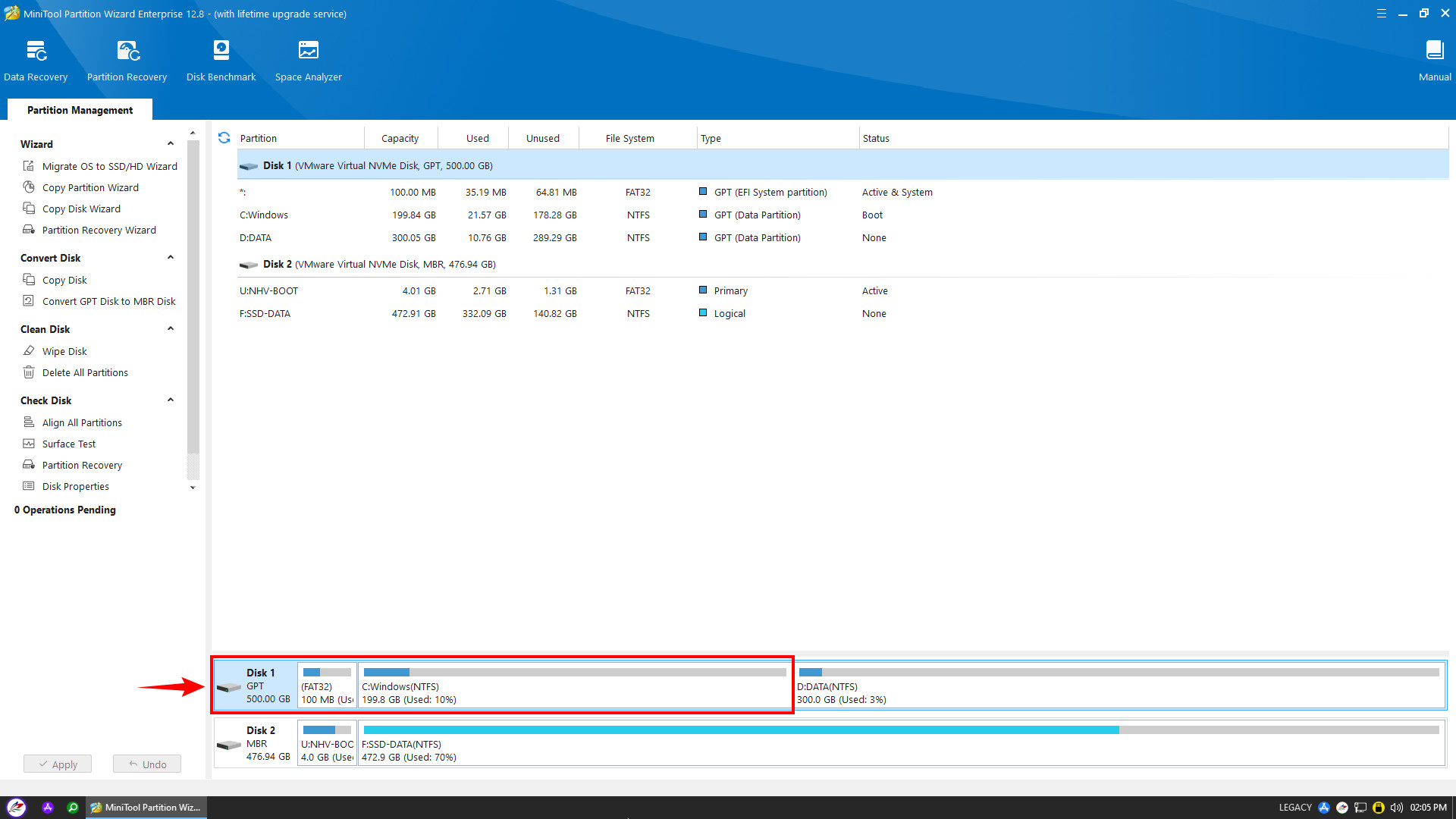
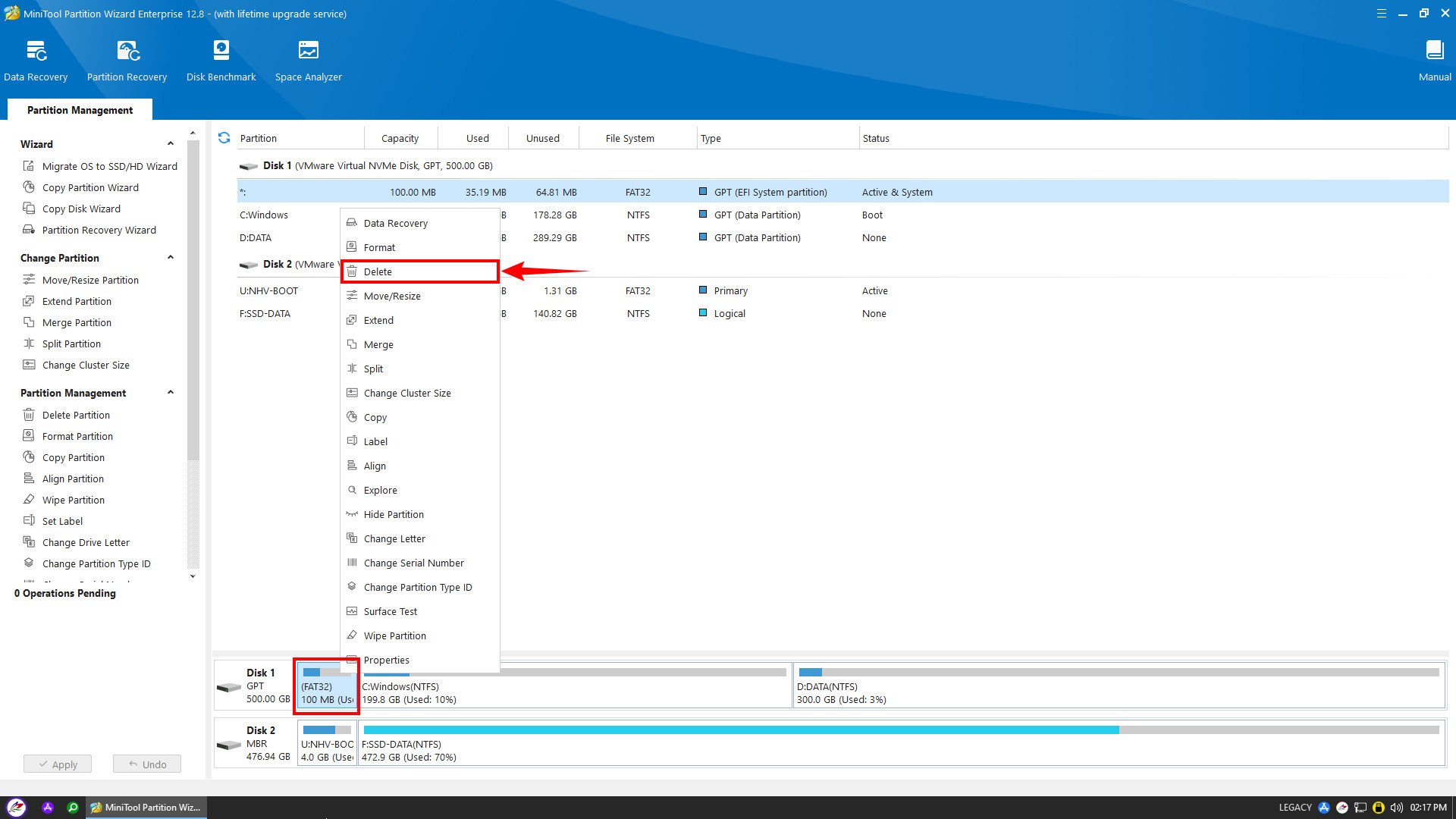
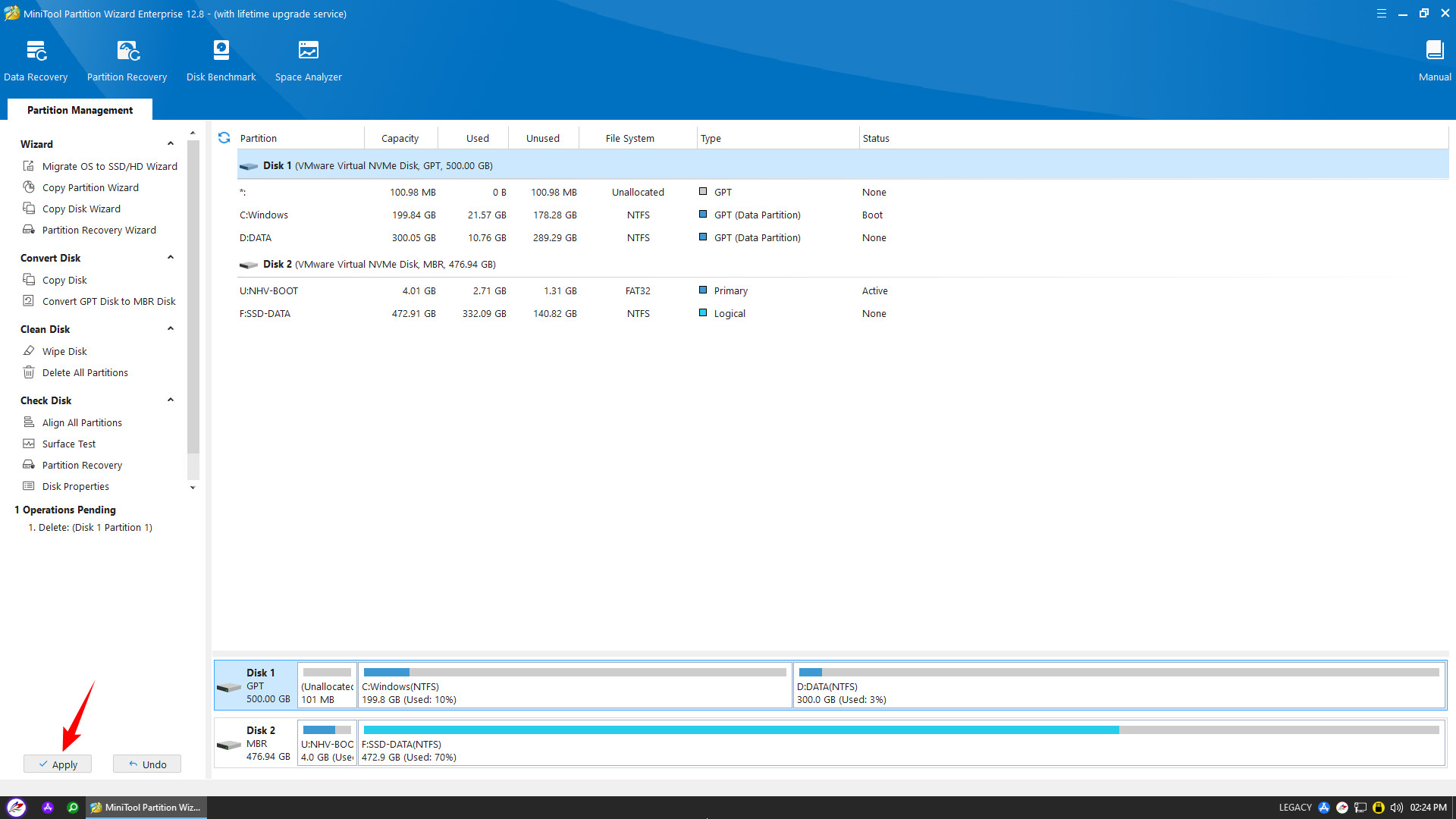
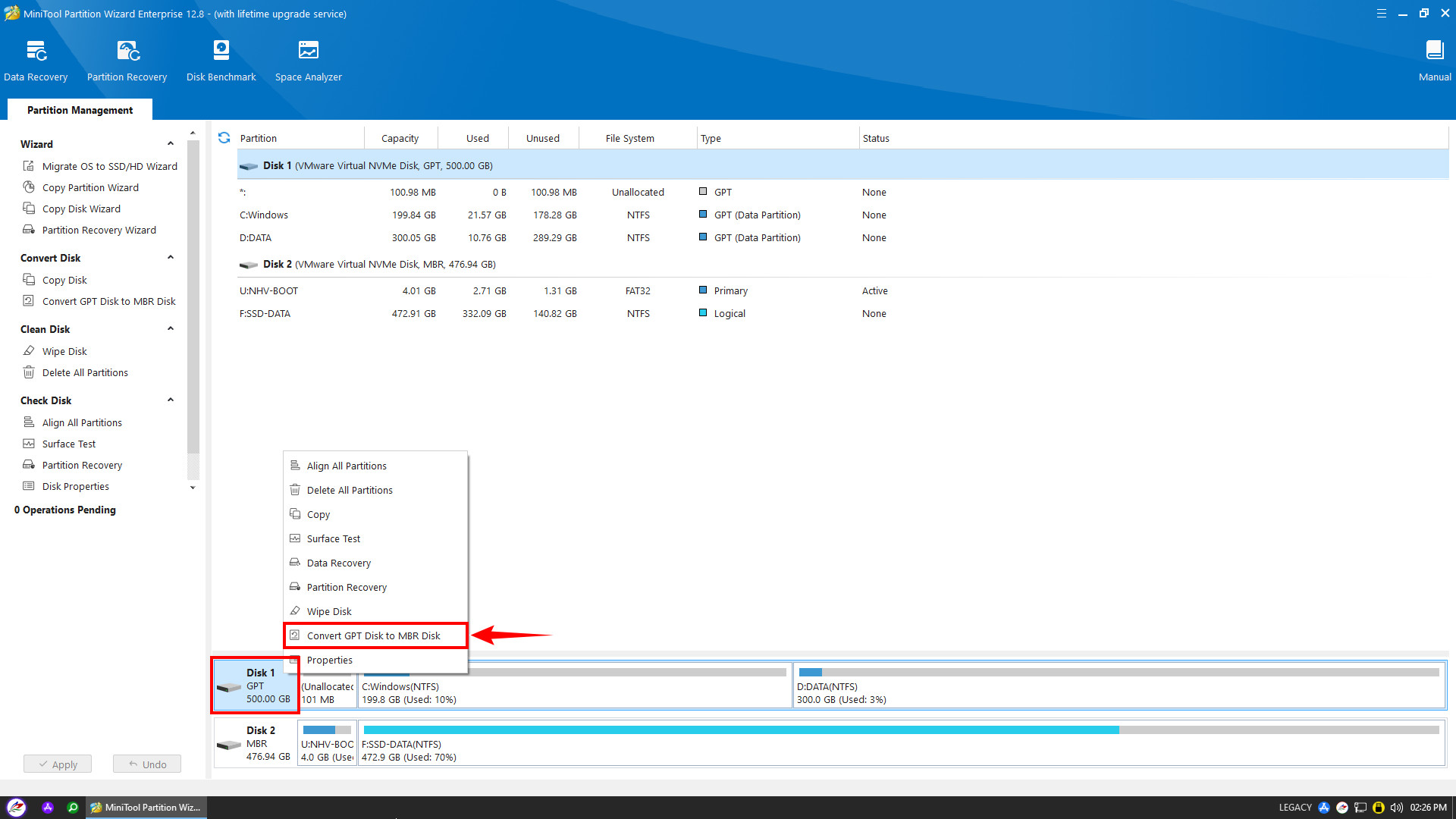
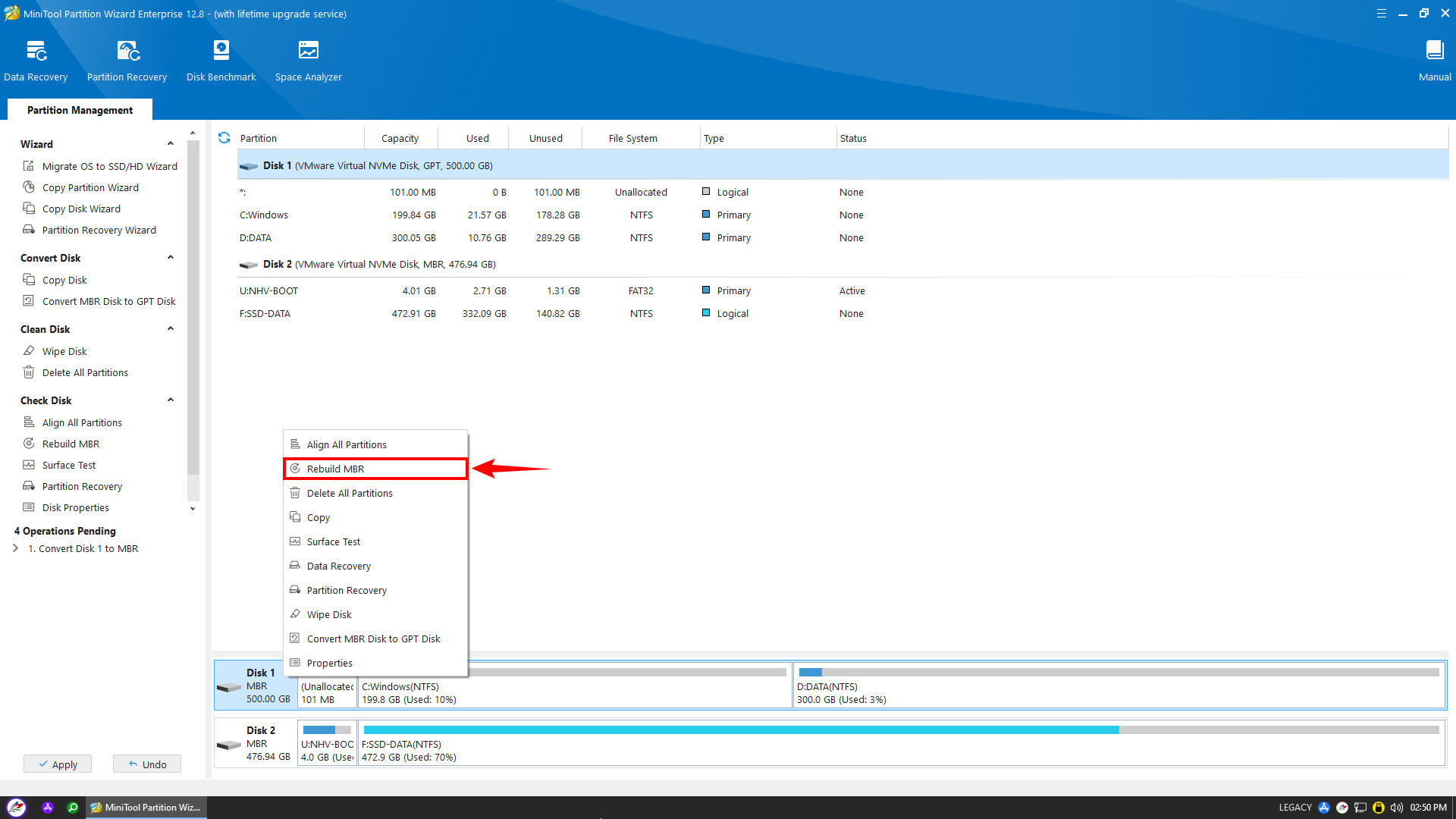
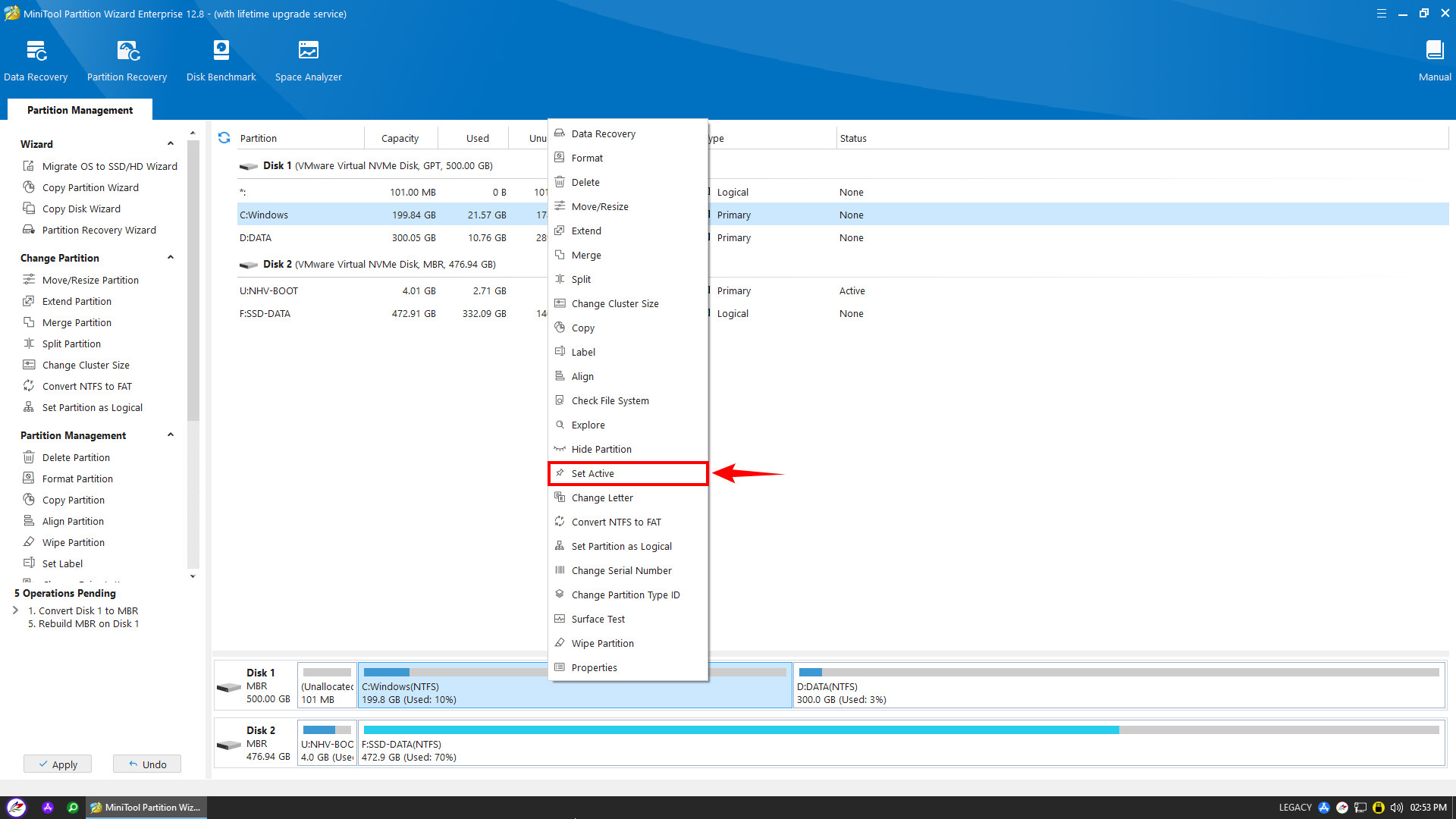
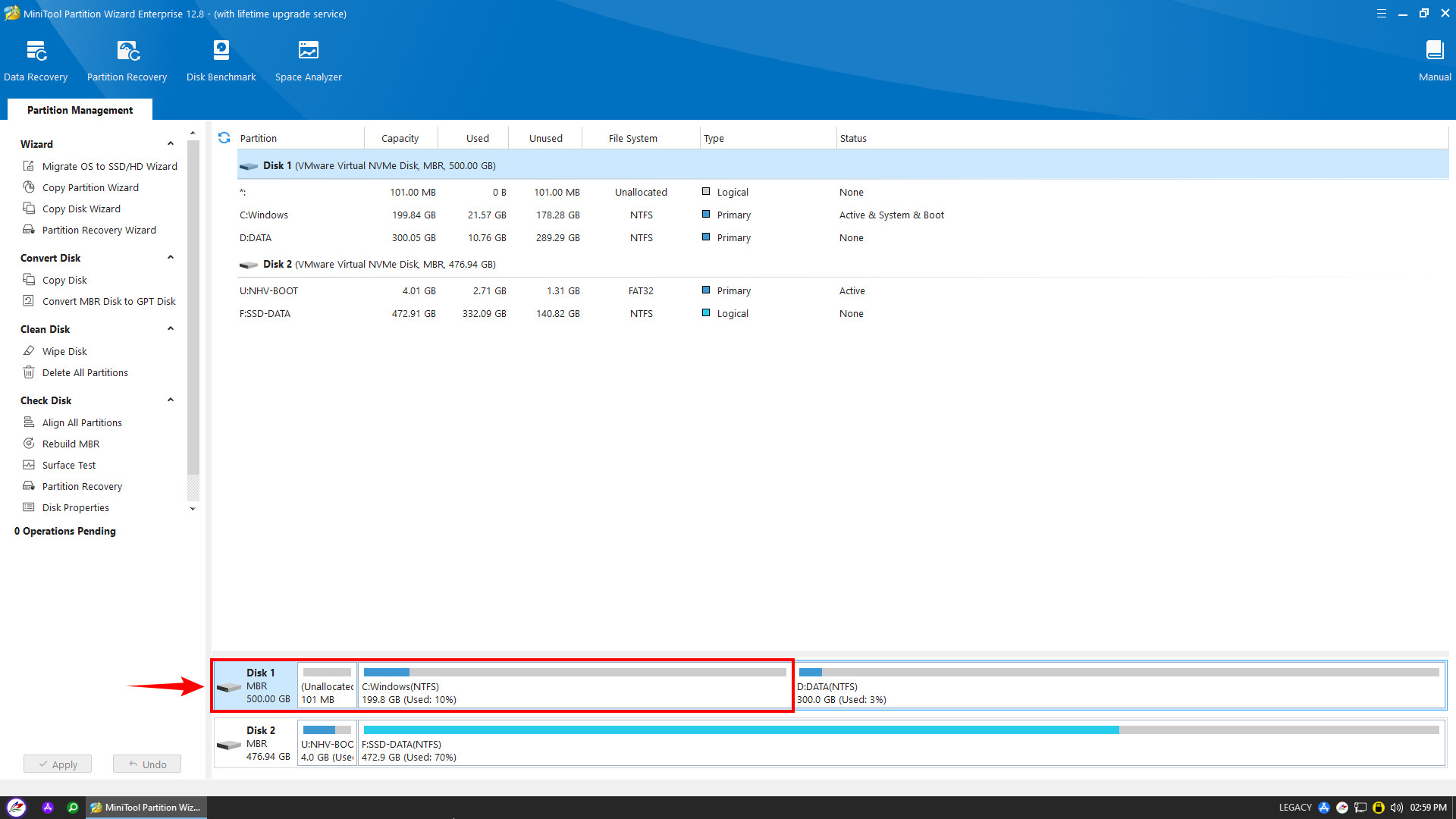
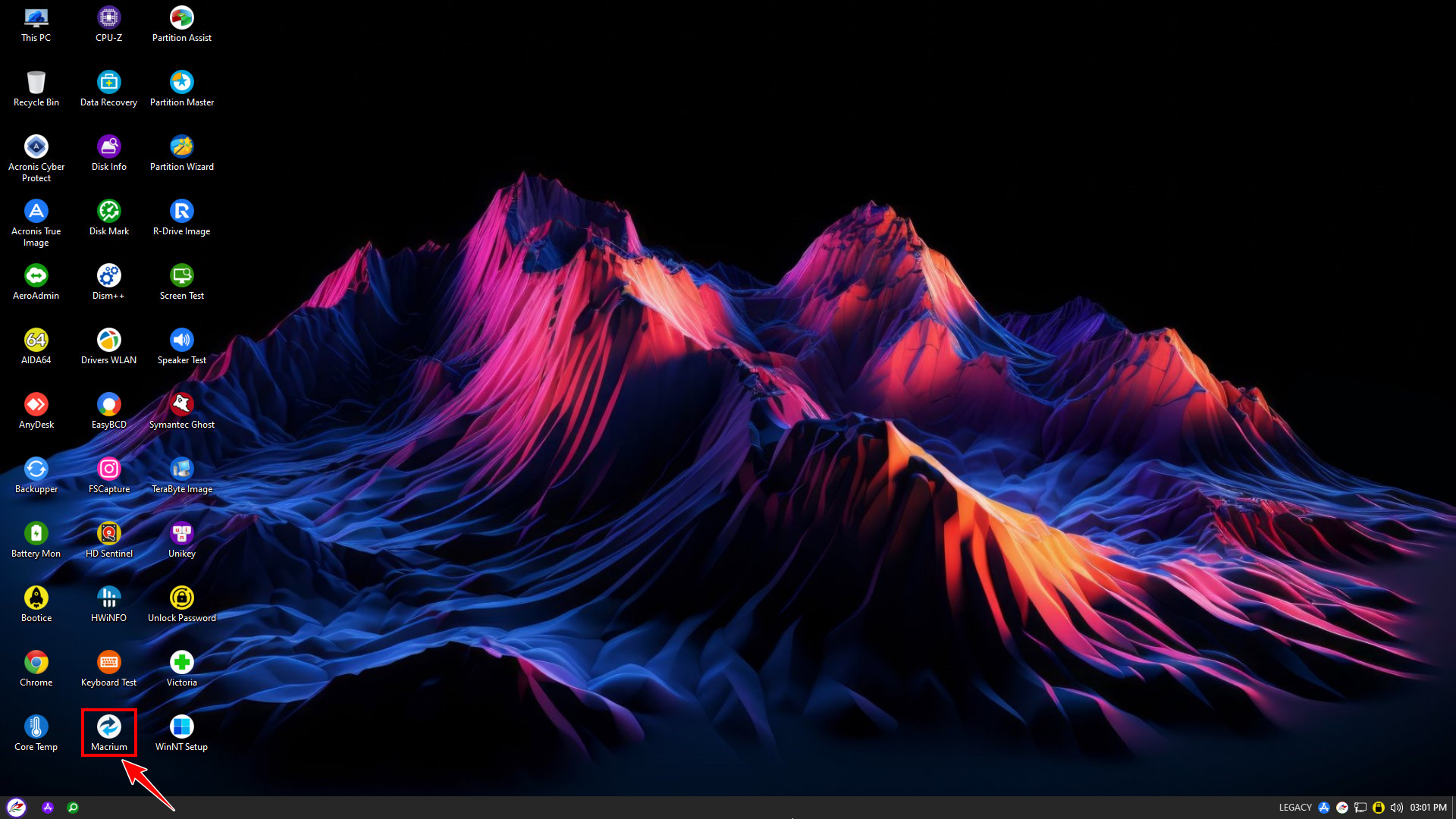
After deleting the EFI partition, converting the disk to MBR, and Setting Active for the Windows partition, return to the main screen and open Macrium Reflect to rebuild the Windows boot
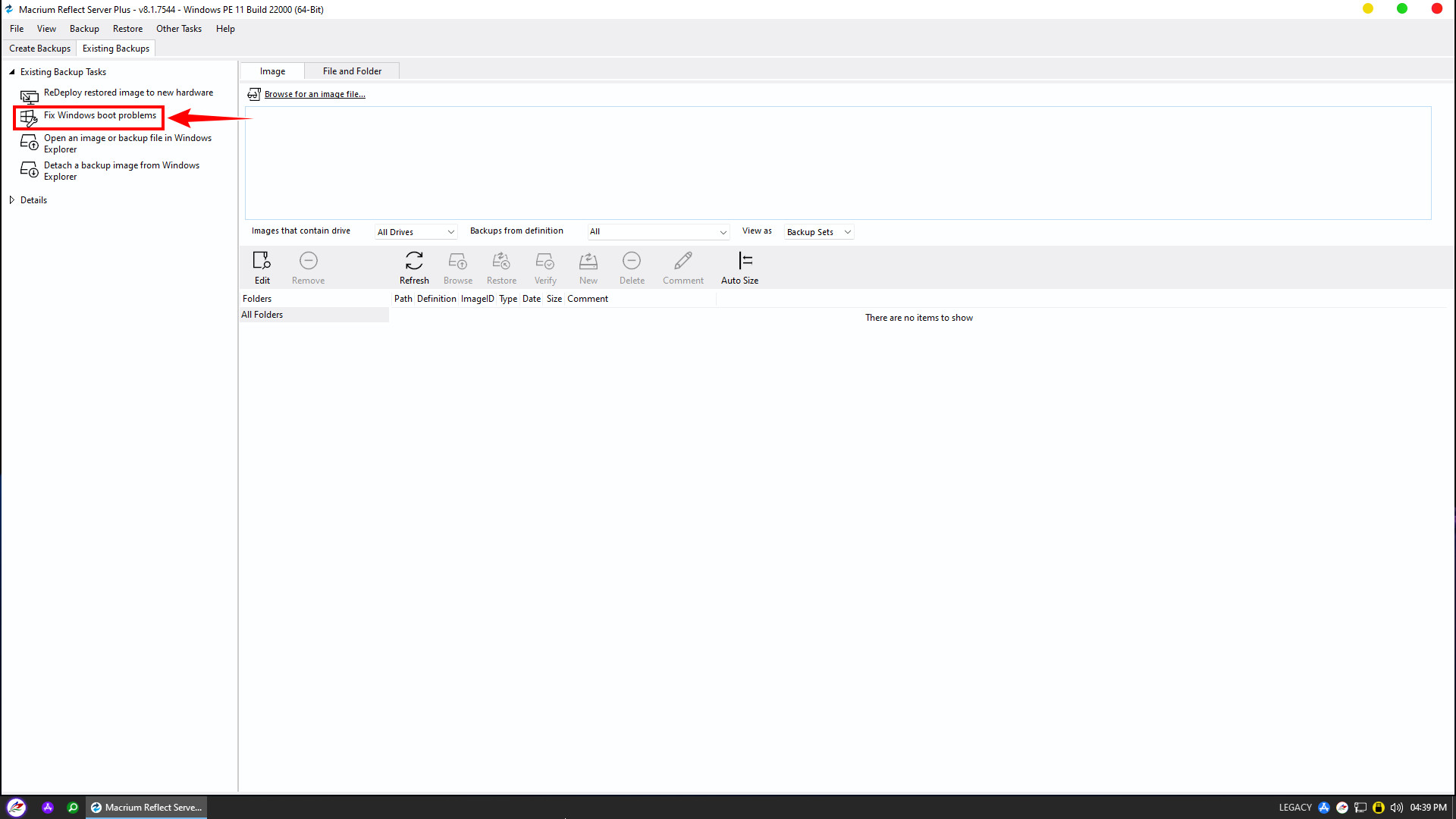
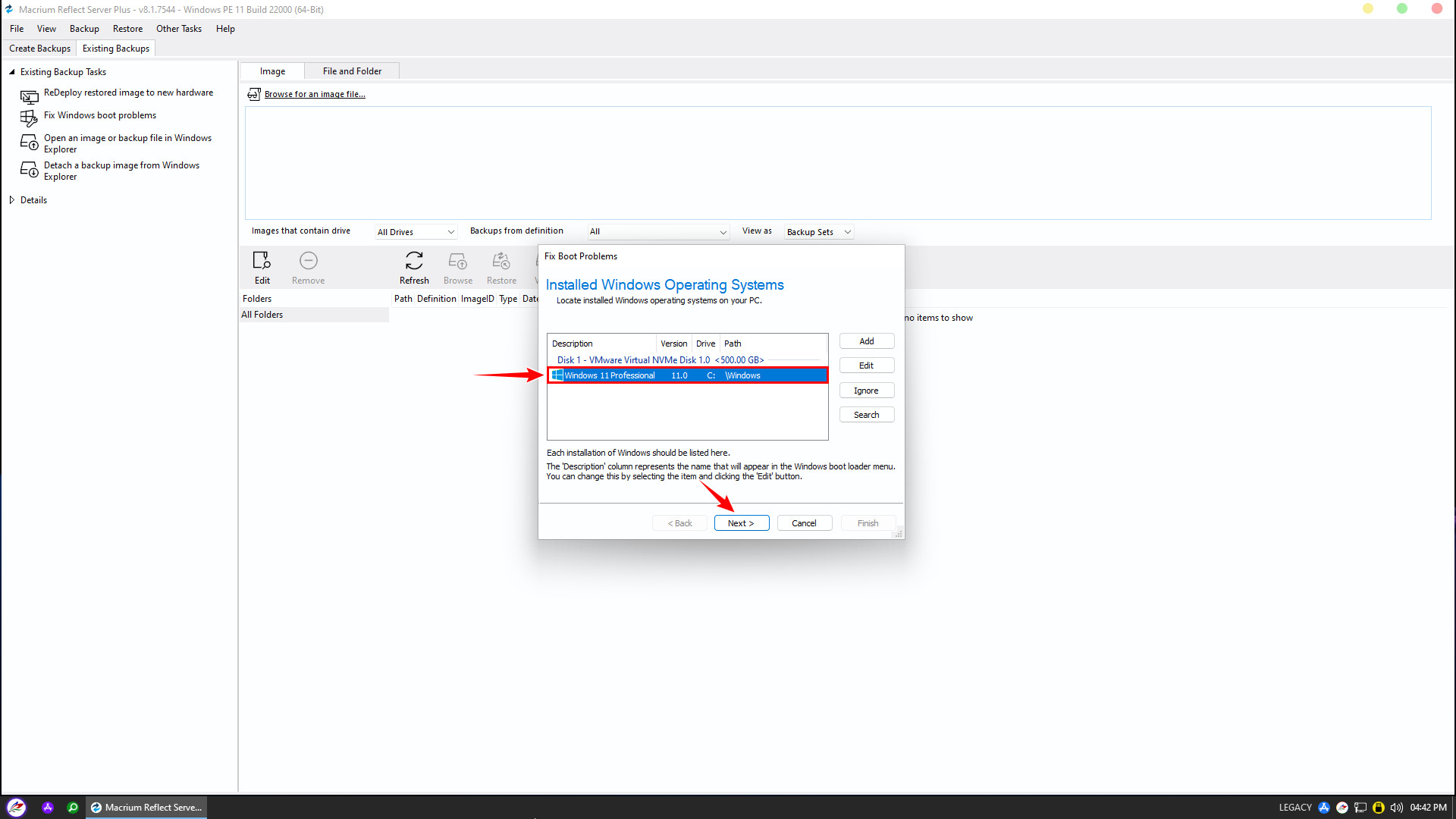
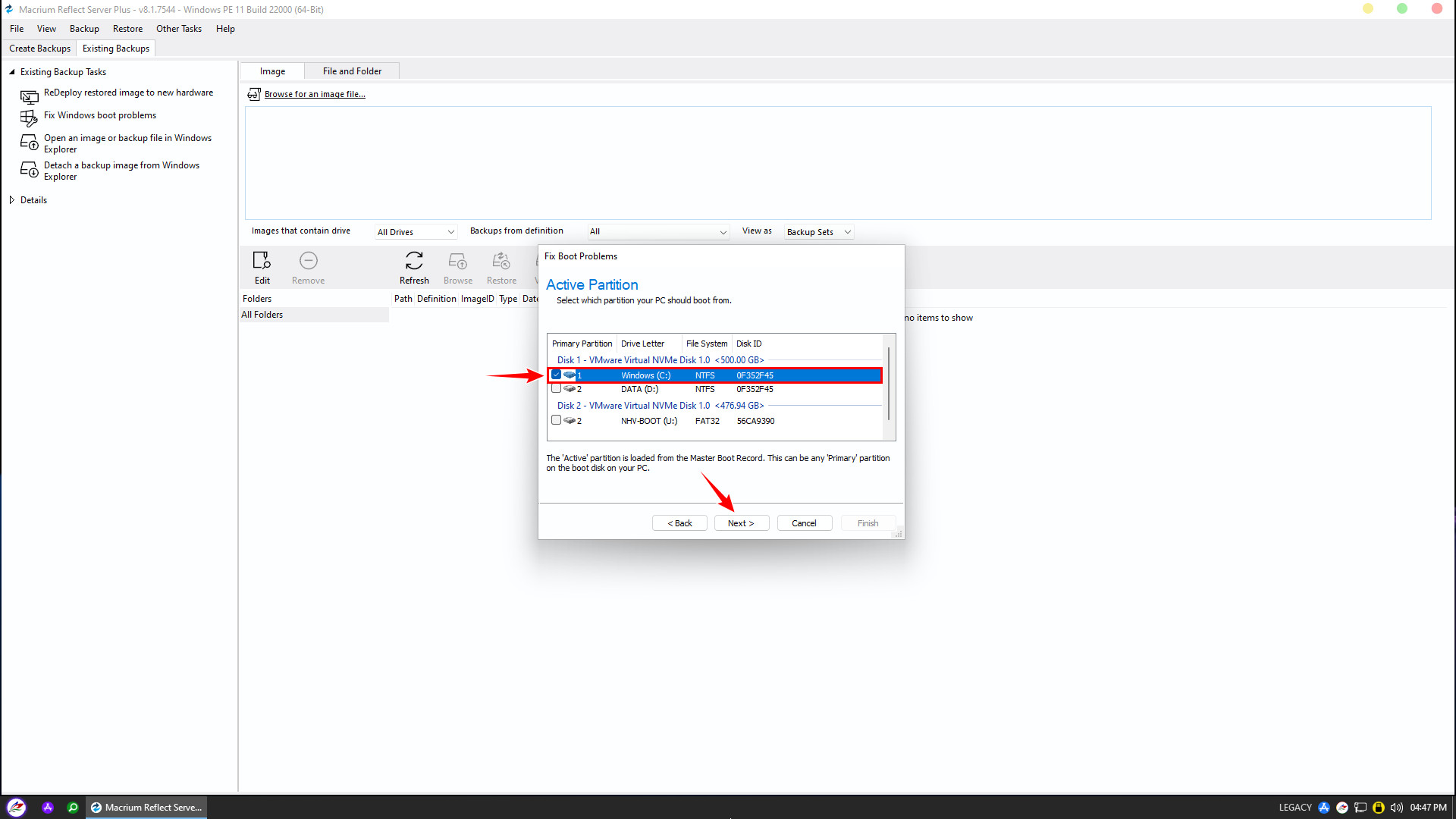
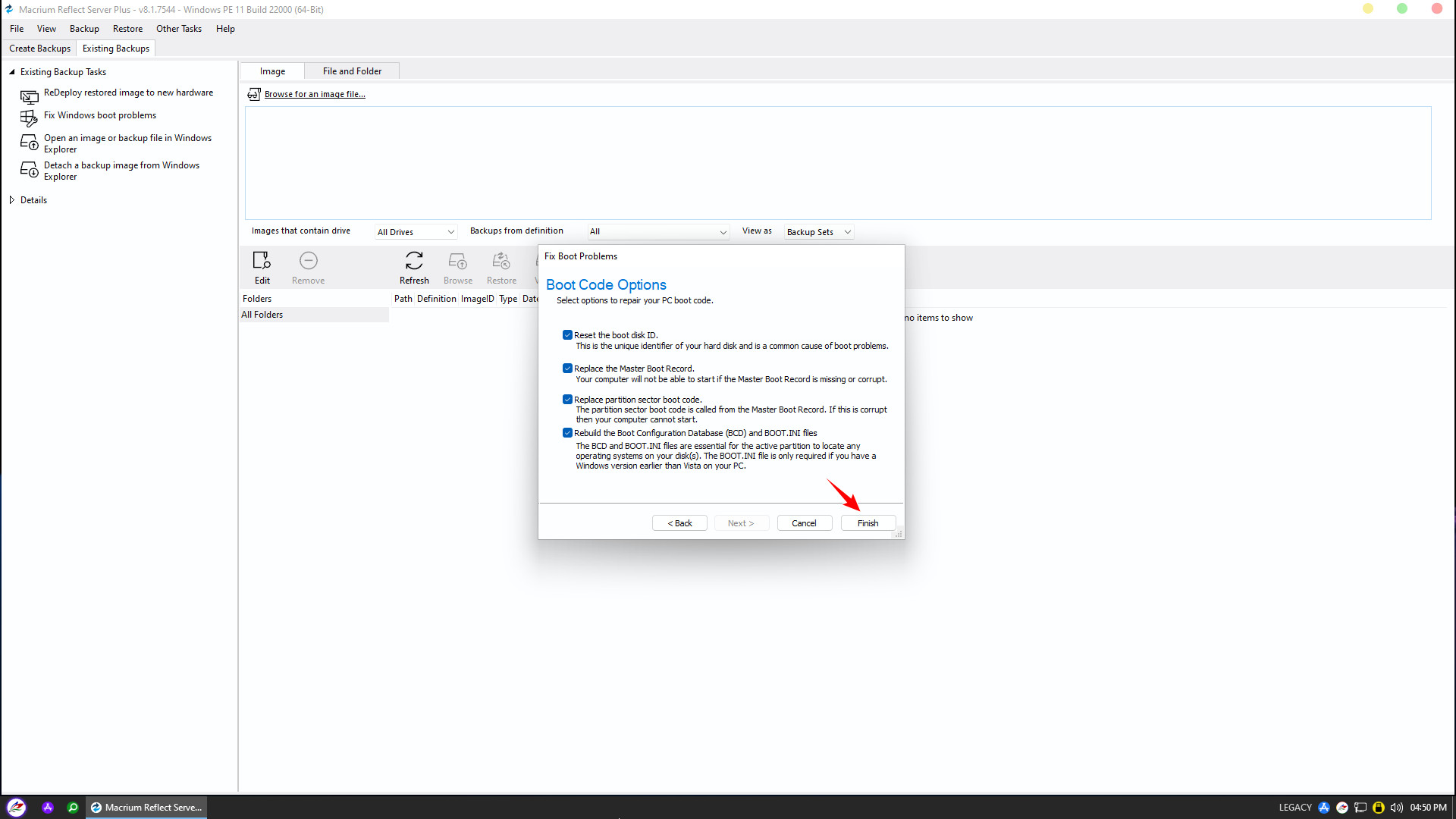
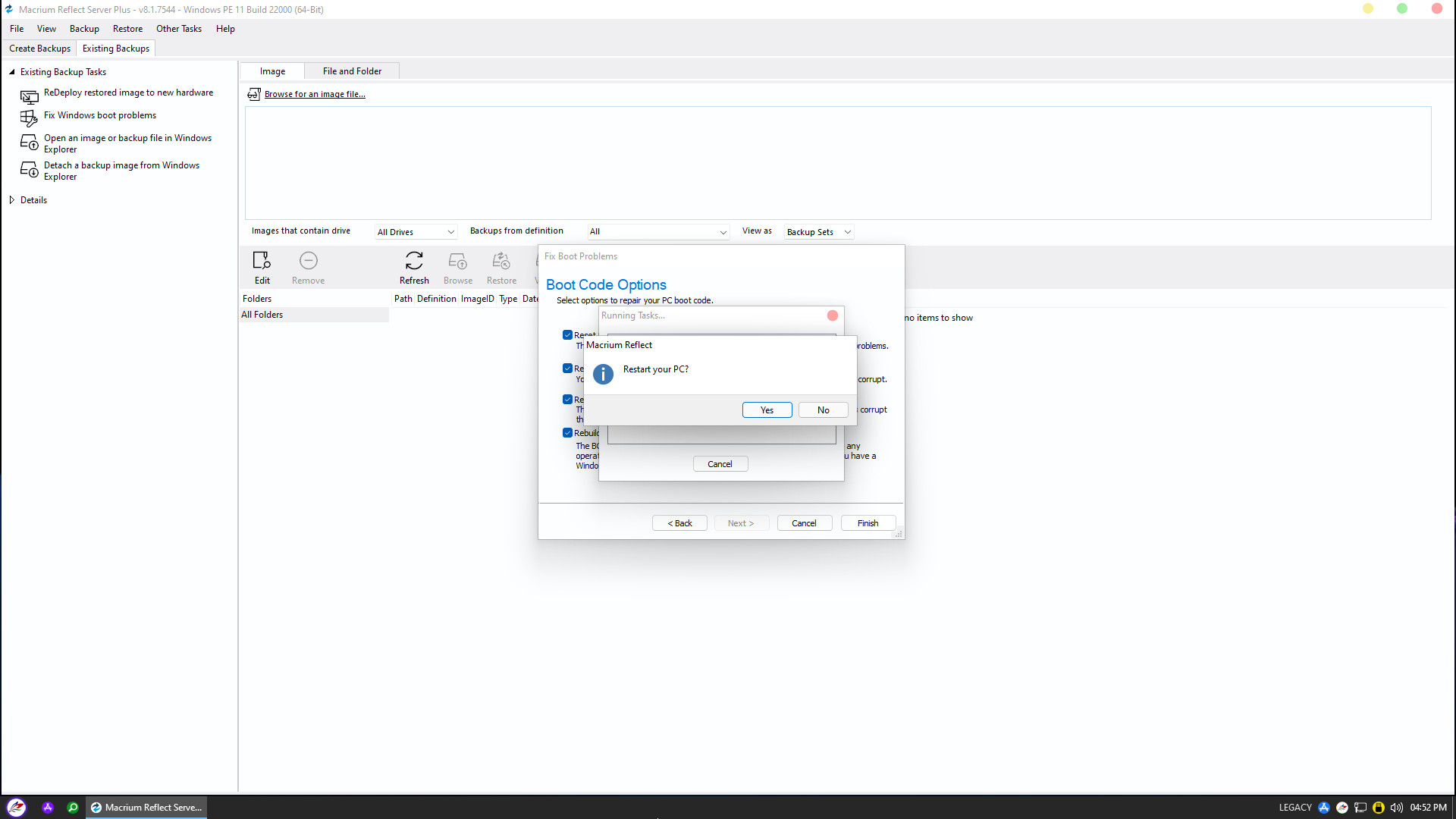
When the completion dialog appears, click Yes to restart your computer. Windows has now been successfully converted to Legacy mode and functions normally. This concludes NHV Boot’s guide on converting boot modes without data loss. We wish you success!